Hello everyone, rollout to Apple mobile OS platforms has begun.
How do I add 2 emoji to my profile ?
He Lew, using the companion app you’ll be able to add emoji’s to your name. You can also do this in Zwift under your profile settings.
Check out this support article for more details: Updating Your Public Profile
Hi John signed in to Zwift and going to my profile I see no place with settings .And going to companion, again I see Edit my profile and no place I see how to add emoji to either place
Hey @Lew_McCorvey_FLA did you take a look at the link I shared with the steps? Once you’re in the profile view, you can simply add the emoji’s to your last name.

I found it easier if you have a windows laptop to go to your profile h ttps://www.zwift.com/ca/settings/profile —take the space from between the h and t in http
Click on your last name box and hit windows key + .(period) at the same time,.. it will bring up emoji options.
2 Likes
Nice! I never knew what the Windows shortcut was.
For those on MacOS:
Update: Thanks to @Paul_Southworth - MasOC Function key (fn)
or if you want more of a workout: Control + Command + Space will bring up the emoji dialogue:
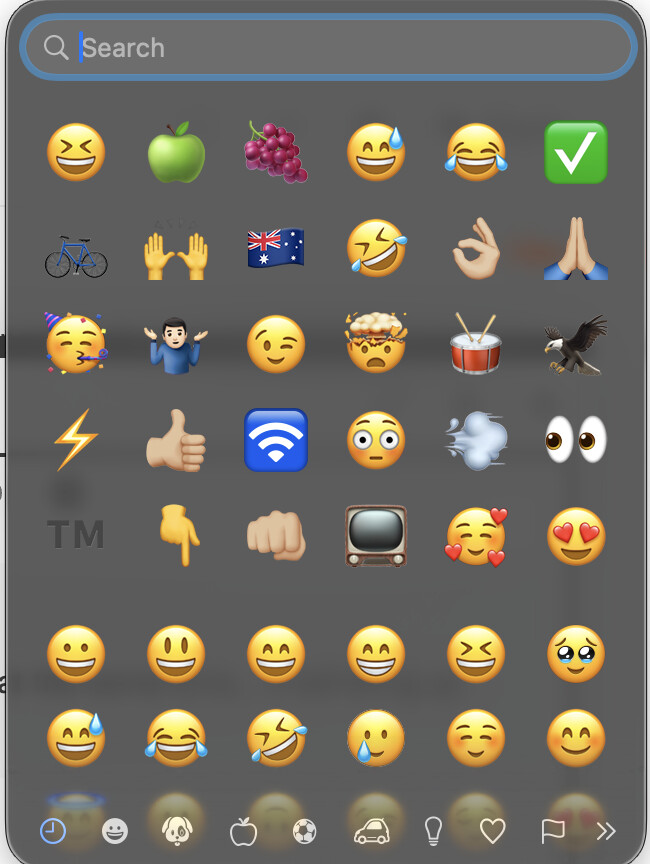
2 Likes
Huh, on my mac hitting the function key does it
1 Like
Hey John got it done . Thanks
1 Like
TIL! Even easier again! 
1 Like
While we’re talking about the emojis - I’ve spun up a dedicated thread about them. If your favorite emoji characters don’t render correctly in the Riders Nearby list or in game chat - please head over tthere.
1 Like
Updated on the AppleTV, no NO emojis used during a ride made it to the game screen.. Still showed onscreen as blanks.. Am I missing something?
Still seeing incorrect leaderboards pop up on the climb portal, showed one of the France sprints when I did the climb of the week on Tuesday and the grade when I did trollstigen on Monday
You have to log in twice to enable it. Does it show up if you restart the app?
Everyone please update at your earliest convenience.
6 posts were merged into an existing topic: Zwift closing while trying to create or edit a custom workout
My companion app is not working correctly. When I start zwifting from my Mac, chat screen nor workout screen appear in the companion app. I’ve deleted and reinstalled but no luck. Please help
1 Like
Deleted and reinstalled Companion or the Zwift app on your Mac?
Check this thread -
Or this -
Basically, a reinstall of the Zwift app on the Mac will allow a setting to prompt for local network discovery.
Definitely! Wait. Settings menu, without getting dropped? Yikes!
At least I’m able to switch via a variable number of mouse clicks to scroll to the option on the game screen on my Windows 10 machine.
I want a single action to toggle it. There are plenty of unused keyboard buttons, but I’d settle for a (single) button on my Zwift Play Controllers, or even a single mouse click to toggle it.
Or squeeze the stats* under the leaderboard (with a mechanism for toggling on and of, of course  )
)
* I like the Critical Power Stats table. The Lap Times, not so much. Do people use that feature? Can I delete the laps when I accidentally trigger them? <:^|
When will ramp XP calculations be based off effort and not time? It’s weird that a cool down with a 100w average scores the same as a VO2 max interval of 300w….