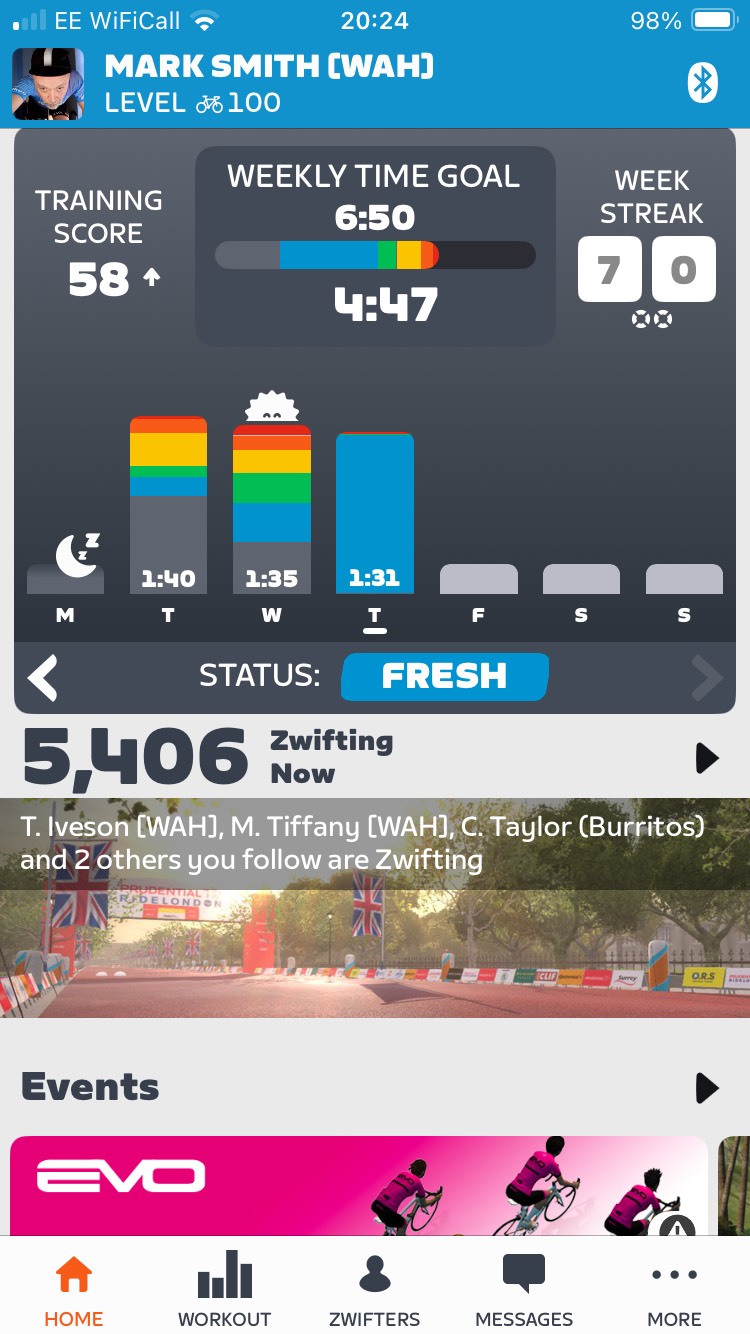
Phased rollout of the Zwift Companion app version 3.73 begins today to iOS and Android devices.
Fixed an issue that caused the user’s profile page Activity Feed to not show private or outdoor activities.
iOS users can toggle between in-game mode (map view) and offline mode.
Supports third-party connection to Hammerhead.
UPDATE AUGUST 23
v 3.73.2 (Android only)
Stability improvements
UPDATE September 9
Companion v 3.73.3 is a minor release with a few bug fixes.
Renamed “Zwift Hardware”’ Menu Tab to “Equipment.” Shows third party trainers that support Zwift Protocol. Use manufacturer’s app to update firmware and calibrate.
iOS only: Fixed issue where users were redirected to the Map screen when starting a chat with another user.
iOS only: Fixed issue where the world map tab may sometimes be unavailable during a workout.
Do you have questions or issues to report? Let us know below.
I updated the CA to v3.73.0 and iOS to 18.6.2 recently and ran Zwift today using the CA to pair my trainer, cadence sensor, HR monitor and Zwift Play controllers. Bizarrely everything worked ok but the companion app Home page didn’t switch from “Fitness Trends” to the usual map and live feed page. Anyone else having this issue?
Overall the App is getting better and keeping it up to date means I’m not riding off the Map and the whole App freezes which is a pain as I need to restart the phone during the ride. Really cannot think of any features to add, the most important thing is it doesn’t lock up.
Have we lost dashboard view with this update (iOS)? I can’t seem to find it anymore! Agree with the above point about it being nice to access the Home Screen whilst riding.
Not a fan of losing key features that were very useful to me (Map view in workouts, and ride data screen in free rides) in favor of something not at all useful during my rides. If we could truly “toggle” the home screen as an option, then it would be a decent compromise IMO.
Have the same and in the beginning of the week it was still working. Searching the dashboard in the companion app while riding free ride. I only have the map view and I can track myself but not being able to have the normal dashboard. During a workout it works fine.
Being able to go the Home Screen while riding is nice but in workout mode there’s now no way to get to the map. What if the button for Home functioned as a Home/Map toggle? Or could use the workout button for that.
Yes, this. ^ It was exactly this when they had this feature enabled a couple of builds ago. It was intuitive to me to try tapping the “Workout” tab to see whether it would toggle to Map view - and it does, but not for many others, because so many Zwifters brought it up during chats and I informed them about it.
It’s just a suggestion, but perhaps a popup screen like the one that says “Tap the Workout tab to toggle Map view during workouts” for the first time in Workout Dashboard may be helpful. There could be an “X” to dismiss such a dialog, much like the one that pops up to Join Event in the Companion Map View while free riding on Zwift.
Something to indicate Map and Workout Dashboard can be toggled in Companion would help a lot.
@calfzilla - see comment above. You tap “Workout” tab for it to change to “Map”, and vice versa.
I agree on this. And the one that gets me the most… when I search Zwifters I am connected to who have relatively common names, those Zwifters are in list order (presumably with lower Zwift ID numbers at the bottom). There’s no preference to have the ones I am following at the top of the list, first.
Another use case, when I’m looking for a RoboPacer that I follow to try to Fan View them to see where they are on a route, particularly if I am already on their route so that I can ease to - or catch them - without teleporting, I have to scroll way down the list, through a lot of related, but different, names which show above them first.
There are various use cases we want to better look up our connections while Zwifting, and it is often a lot of scrolling to do so. It is easy enough, but annoying, to do this during Z1 activity, but whilst dripping sweat, the number of available touch screen flicks with a damp finger decreases significantly, rendering excessive steps in Companion relatively useless.
The companion app was stable again. After this update, if I do anything other than use the main screen, it drops connection. If I re-open the app, it instantly connects. A weird one.