I can pait it via zwift companion. But in the zwift app I am not able to click the tick box to select the zwift controller
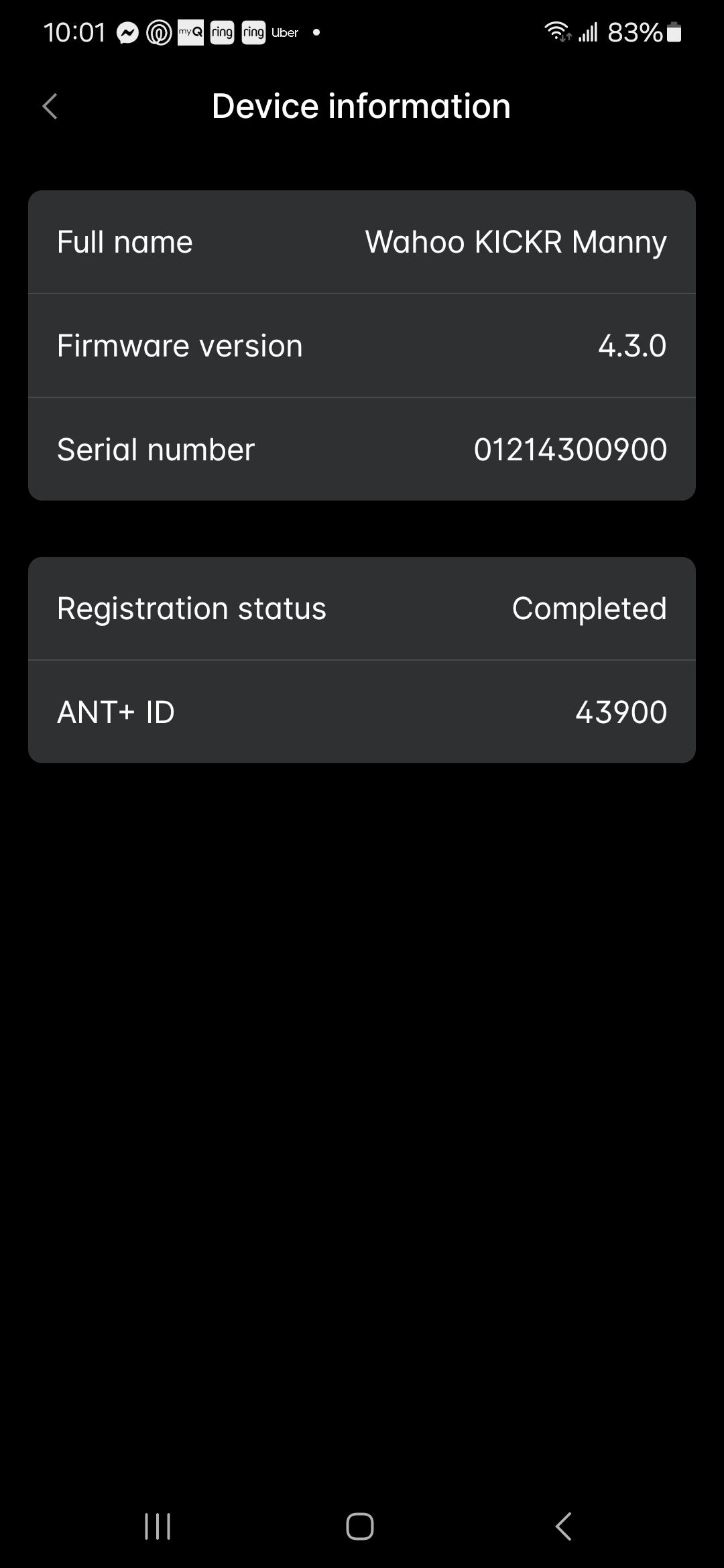
Thanks for clarifying. Please check Paul’s point above about verifying what firmware version your Kickr is running.
You have a Wahoo Kickr V5 (2020 model) which does not support Zwift’s virtual shifting feature. That’s why the controls will not pair, because Wahoo have not provided a firmware update to enable the feature.
If you search the forum for topics related to this (eg, search for “kickr v5 virtual shifting”) you may find some useful information.
Hi Shuji,
Sorry to bring up this topic again, but I’m having a similar / the same issue.
I’ve been through the checklist in your linked thread. I am able to pair the Zwift Ride controllers in the companion app (trainer shows as Zwift Ready). Once I launch the game, both controllers revert to blue pulsing and can’t even be seen by the app via the ‘Controls’ option. Power, cadence and resistance all connected to the trainer no issues.
I have a Jet Black victory with pre-installed Cog and up to date firmware. Both controllers are up to date too. ANT dongle is removed and all connected via same WiFi network. Have uninstalled and reinstalled Zwift, toggled Bluetooth on and off and can’t find a resolution.

